





Good leads go quiet.
Next action stays on track.
An enquiry waits in one inbox, a call adds what nobody writes down, a follow-up depends on someone remembering. Connect keeps each prospect’s and customer’s history, next action and your rules together across email, phone and WhatsApp — and brings you the decisions that need a person.
Prove one workflow first: one mailbox, four weeks, draft-only until you decide How it works Capability status
LIVE EXPERIENCE
One customer. One memory. Every channel.
Checking availability
Experience Connect for real
One channel. Your consent.YOUR BUSINESS
Built for different businesses
Every page below describes the same Connect — configured around the channels, rules and follow-through that a business like yours actually needs.
Why Connect
An unanswered enquiry. A follow-up left for tomorrow. A customer explaining the same thing twice. When the work is spread across inboxes, phones and people, the relationship pays the price.
Next action stays on track.

One complete relationship history.

Routine handled. You decide.
What Connect does
A Digital Customer Operations Employee that communicates, remembers and follows through — across email, phone and WhatsApp, and it does not stop after one conversation.
Work arriving
 Connect
Working
Connect
Working
What comes back
Running at the same time
In this illustration, Connect works across Email, Phone and WhatsApp. It finds and researches a prospect, verifies the fit, starts the conversation, answers the reply, calls, handles questions and objections, books a demo and explains pricing inside the rules you set. Where a decision needs your authority — a discount above your limit, for example — it stops and waits for you, then resumes on its own once you approve. It sends the payment request, records the payment, converts the prospect to a client, updates the CRM and its memory, starts onboarding, resolves support requests and schedules the next opportunity. Alongside that one relationship it keeps handling other work: new email understood and answered, WhatsApp enquiries resolved, incoming calls taken and summarised, follow-ups completed, records updated and next actions scheduled. This is a representative operating flow, not live customer data.
The same workflow, in your language
Nothing below is a different product. It is the loop above, described in the terms the business actually uses.
Four more are written the same way — franchise networks, multi-location businesses, partner channels and freight. Compare all seven.
Email. Phone. WhatsApp.
A person may email today, call tomorrow and message next week. Connect brings identified contacts and their conversations into the same relationship history.

Enquiry, reply and follow-up stay together.
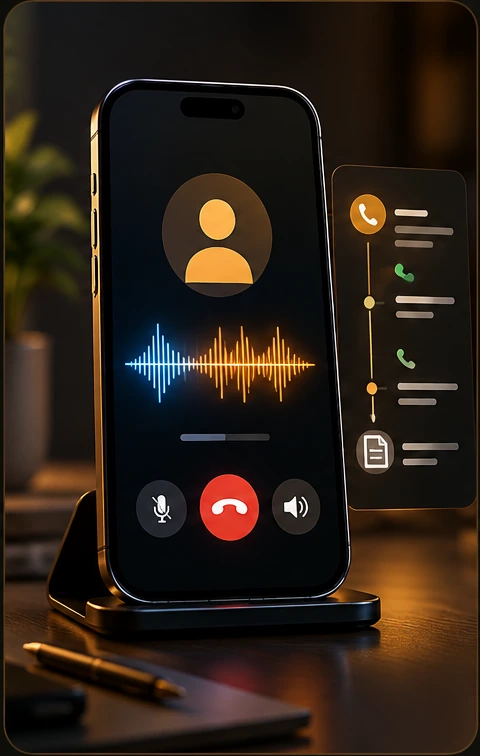
Every call keeps its customer context.
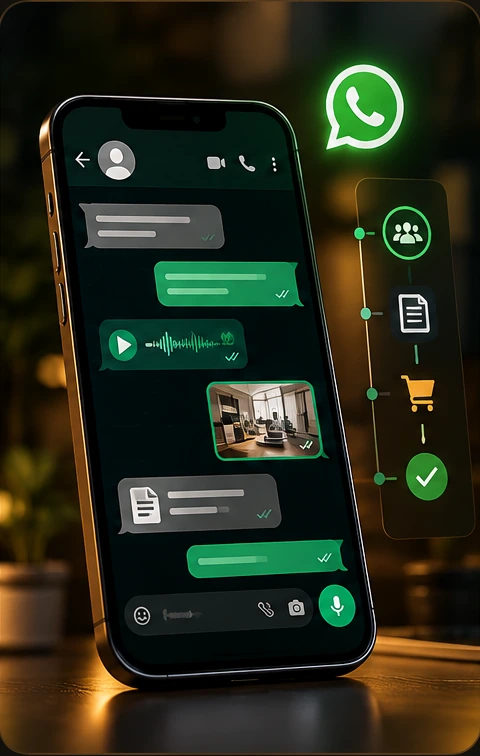
Messages, media and voice stay connected.
Available workflows depend on your connected accounts, provider setup and plan. Your walkthrough confirms the exact channels and actions for your business, including SMS where configured.
You set the boundaries
Choose how much Connect can do for each supported account, channel or workflow. Start with drafts and expand permissions as you decide.
Connect uses your approved pricing to prepare the response. You check it, edit it if needed and decide when to send.
Connect prepares the reply and holds the action for review. It proceeds only after the required approval.
When the response is supported by your knowledge and your rules permit sending, Connect can act and record the result.
A decision outside your authority rules is held for your judgement, with the context to help you decide.
These examples explain the modes; they do not change your account settings. In the workspace, these are also described as Draft Only, Review Before Send and Auto Within Rules.
Your business is the starting point
Give Connect the knowledge and instructions you approve. It uses them to explain what you offer, answer questions and decide what it is permitted to do.
When a question needs knowledge or authority it does not have, it brings the decision back to you.
The context you give Connect
ConnectIs this for your business?
Where to start
Every day of disconnected work adds another conversation to reconstruct, another follow-up to remember and another handoff to explain.
Start with one workflow that needs attention. See how Connect would handle it using your channels, knowledge and approval boundaries.
Interactive · illustrative flows
Each flow is an illustration with sample names — not customer data and not measured results. It shows what Connect does with incoming email, a prospect, a conversation that changes channel, and a decision that needs you.
CONNECT
RESEARCH
MEMORY
GATEWAY
A practical first step
“Connect Your Business” opens a short enquiry with Cira, our digital Business Solutions Advisor. The JBRH team uses your request to prepare the next conversation.
Your business, the channels you use and the work you want to improve. Four short steps.
Walk through your prospect flow, customer conversations, knowledge and approval requirements.
Confirm available workflows, channel setup and commercial terms before deciding to move ahead.
Before you connect
Understand the work, the control and what happens next.
What a walkthrough coversConnect by JBRH is your Digital Customer Operations Employee: one system for prospect research, customer conversations, follow-ups and ongoing support. It maintains the work around each relationship using your approved knowledge, rules and permissions.
Connect brings communication and customer work together. It keeps contacts, companies, conversation history, promises and next actions connected so the person handling the next interaction has context. It also prepares or carries out the actions you permit.
You choose the operating mode for supported workflows. Draft prepares work for you. Review & Act waits for approval. Autonomous can act within your configured rules and permissions. Actions outside those boundaries require your judgement.
Connect works with supported business mailboxes, configured phone lines and connected WhatsApp business accounts. Setup, provider requirements and your plan determine the exact workflows available. We confirm these against your business during the walkthrough.
Connect can support qualification, explain products using approved knowledge, coordinate demo next steps and maintain its contact, company and opportunity records. A particular demo format or external CRM integration needs to be confirmed in your walkthrough.
Connect uses the knowledge you approve. Questions needing missing knowledge, unsupported promises or additional authority are escalated to Needs You with the relevant context, so you can make the decision.
Commercial terms follow JBRH-approved pricing policies based on your operational scope, required capabilities, and verified business value. Standard in-policy configurations are priced directly; custom exceptions undergo authorized owner review. Applying for a personalized demo or requesting an evaluation costs nothing and requires no payment details.
The Privacy Center explains how website, account, mailbox and enquiry information is handled. The Trust Centre covers data rights, retention, acceptable use and security.
Explore Solutions
Each page walks the same loop through one kind of business: the problem, the workflow, the channels, the rules, the deployment and the limits.
Compare all solutionsConnect by JBRH
Connect communicates, remembers, follows through and manages the work around your customer relationships — under your control.
Start with your business. See what fits.
Decide with a clear picture.